For the complete documentation index, see llms.txt
For the complete documentation index, see llms.txt
Dynamic Reference Requirements: Configuring Personal Email Flags and Instant Employment Verification
The reference check enables recruiters to be more specific with your reference requirements. We are giving more control over what type of references you accept, as well as increasing the clarity of requirements to candidates.
## Key features
- Flagging personal emails
- Skipping manual HR references when Instant Verification is available
- Streamlined & dynamic requirements
- Require character references for non-employment periods
## Flagging personal emails
Regulated companies typically do not accept references with personal emails.
The new and improved reference check allows you to specify in the Package Editor whether you’d like to accept personal emails or not. Under **Displaying result** in the **Preferences** section, you can choose to toggle *Flag personal emails* on or off, depending on your requirements.
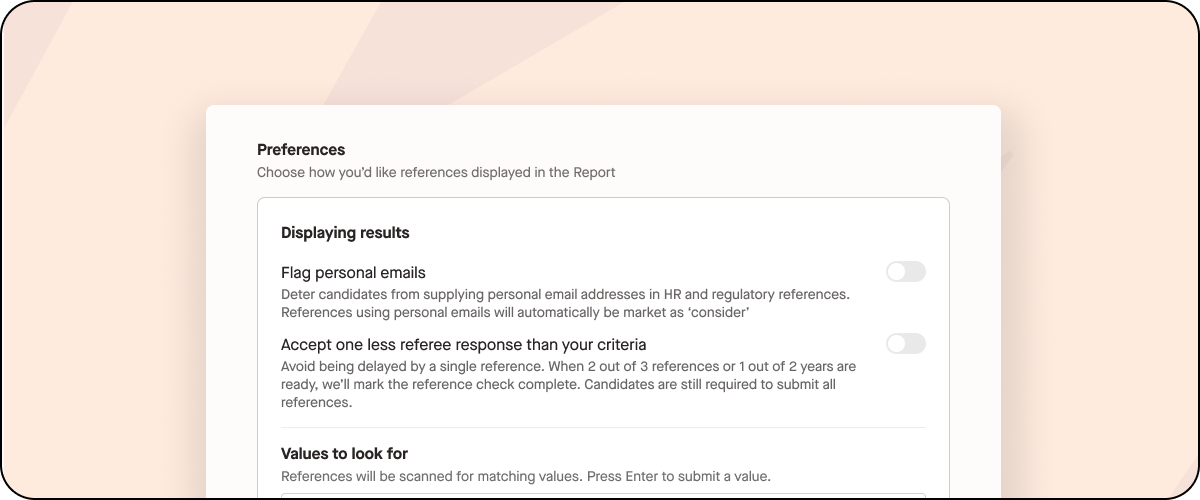
If flagging personal emails is on, the candidate will be notified if they try to submit a personal email, and they will be prompted to provide a business email instead.
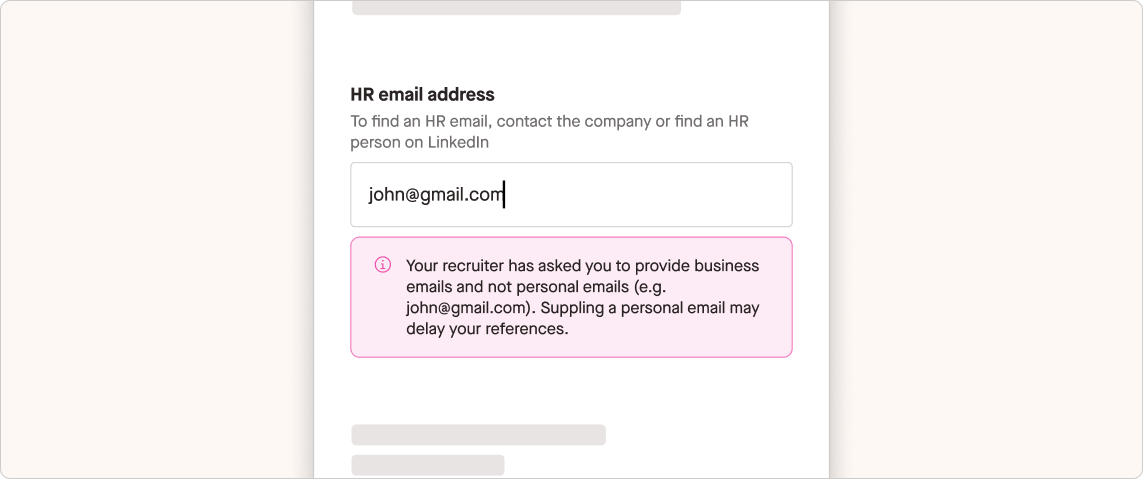
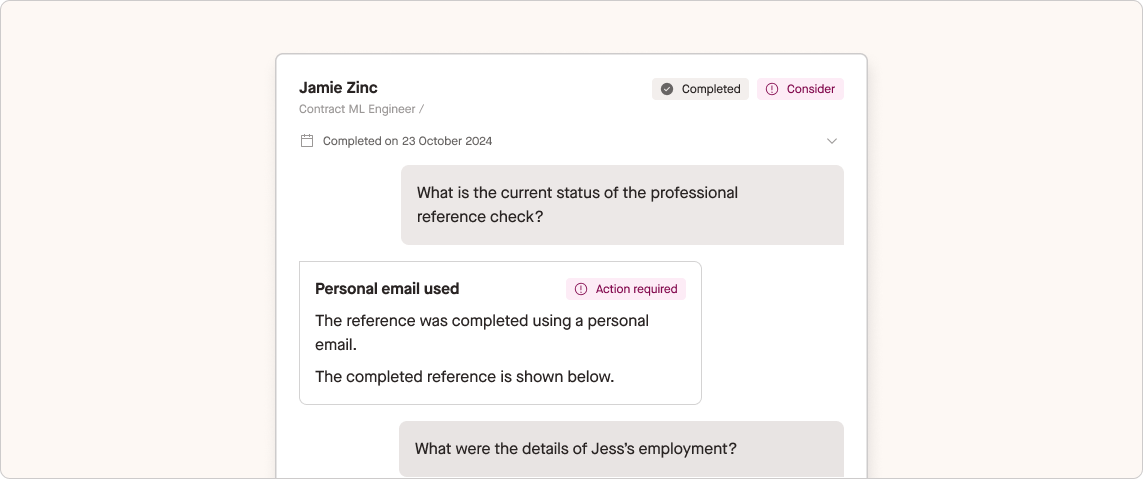
If the candidate still provides a personal email, the check will be automatically marked as consider to review or follow up as needed.
Please note this will only apply to Regulatory and HR references.
## Dynamic guidance
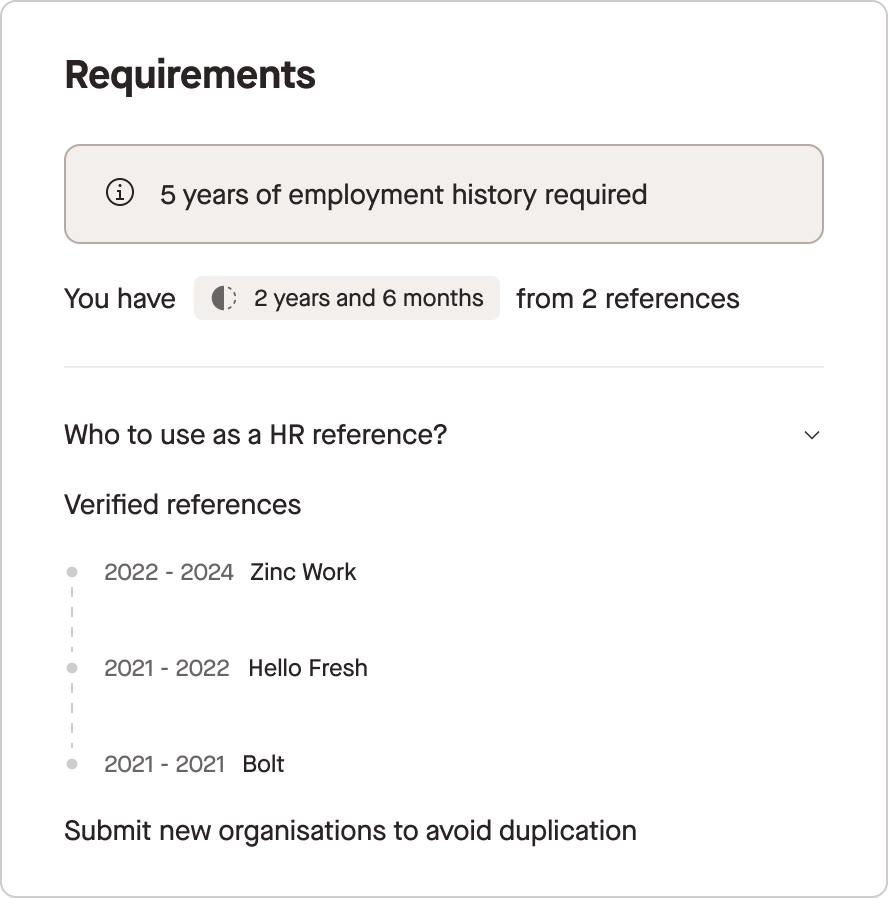
Zinc introduced Instant Employment Verification in October 2023, allowing candidates in select countries to instantly verify their employment history without manually contacting referees. The candidate can now view a timeline of the references they’ve submitted through Instant Verification.
This means that if a candidate has only partially completed their Instant Verification, they’ll be able to see exactly which organisation is missing, and avoid submitting multiple references for the same organisation.
## Skipping manual HR references when Instant Employment Verification is available
If you’d prefer to only see Instant Employment Verification, you can choose to **Skip manual HR references**. This will remove the option for the candidate to provide additional HR references, ensuring that you only receive one type of employment verification.
This setting can only be turned on if you’re using **Unified References**. This reduces the likelihood that candidates submit the same referee for different types of references. However, this also means that if you’re not requesting a Professional or Regulatory reference, you won’t be able to turn this on.
## Require character references for non-employment periods
If you want character references for non-employment periods, you can select **Require character references for non-employment periods**. Here, candidates must provide a character reference for each period of non-employment (Travelling, Seeking employment, Other). Academic periods are covered by academic references and don't require an additional character reference.
