For the complete documentation index, see llms.txt

How to Complete Seguridad Social Instant Employment Verification in Zinc (Cl@ve Login)

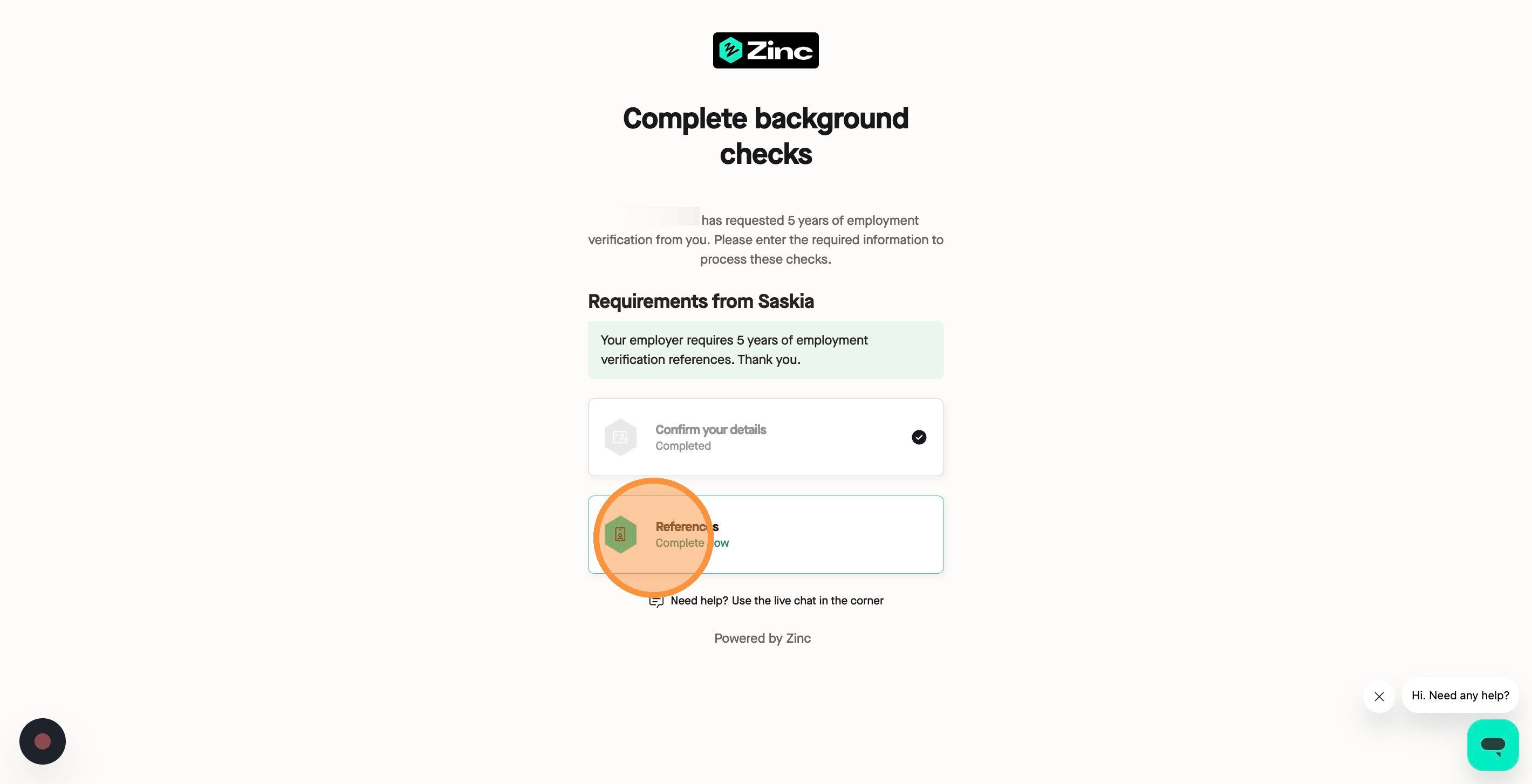


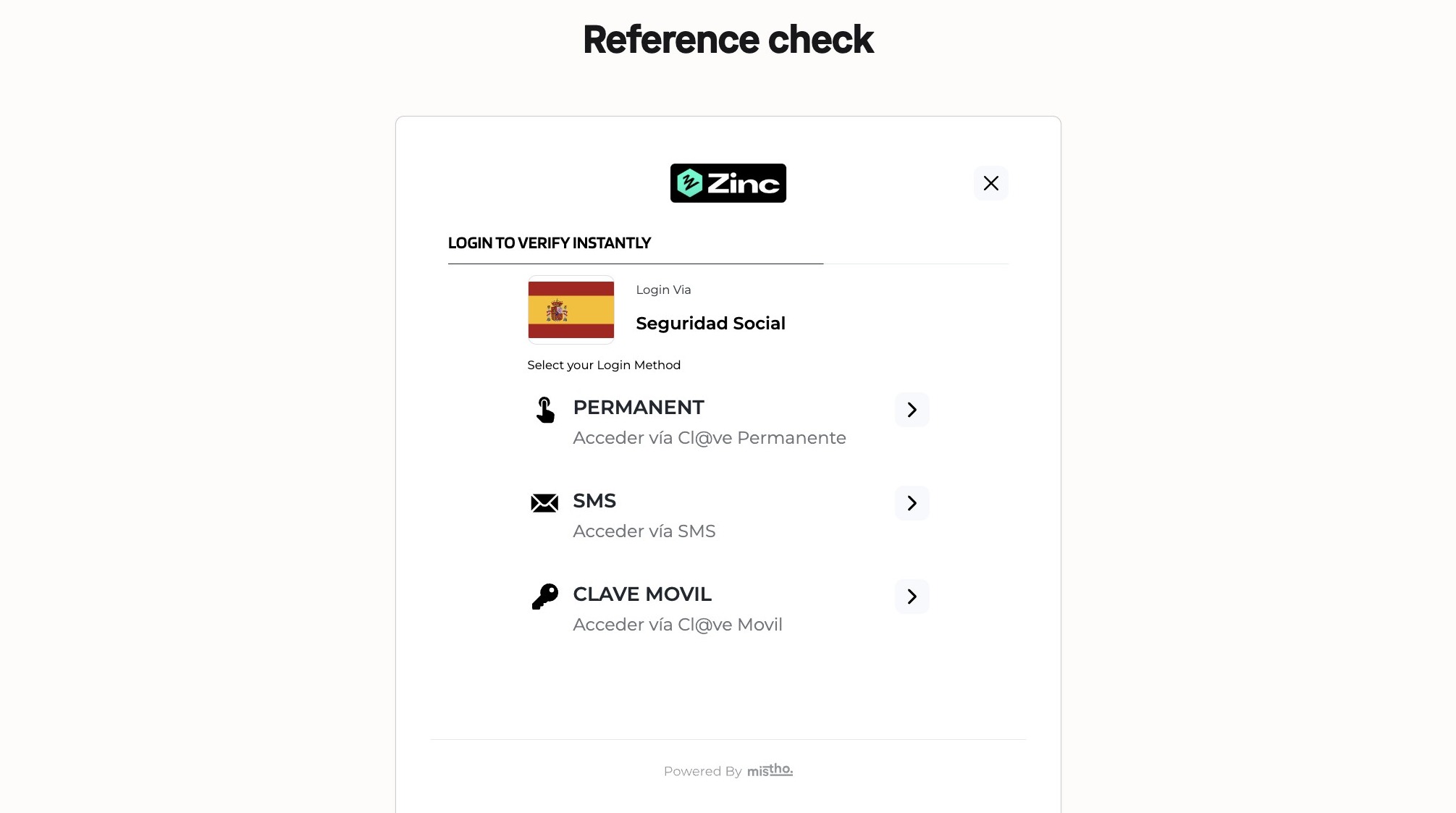

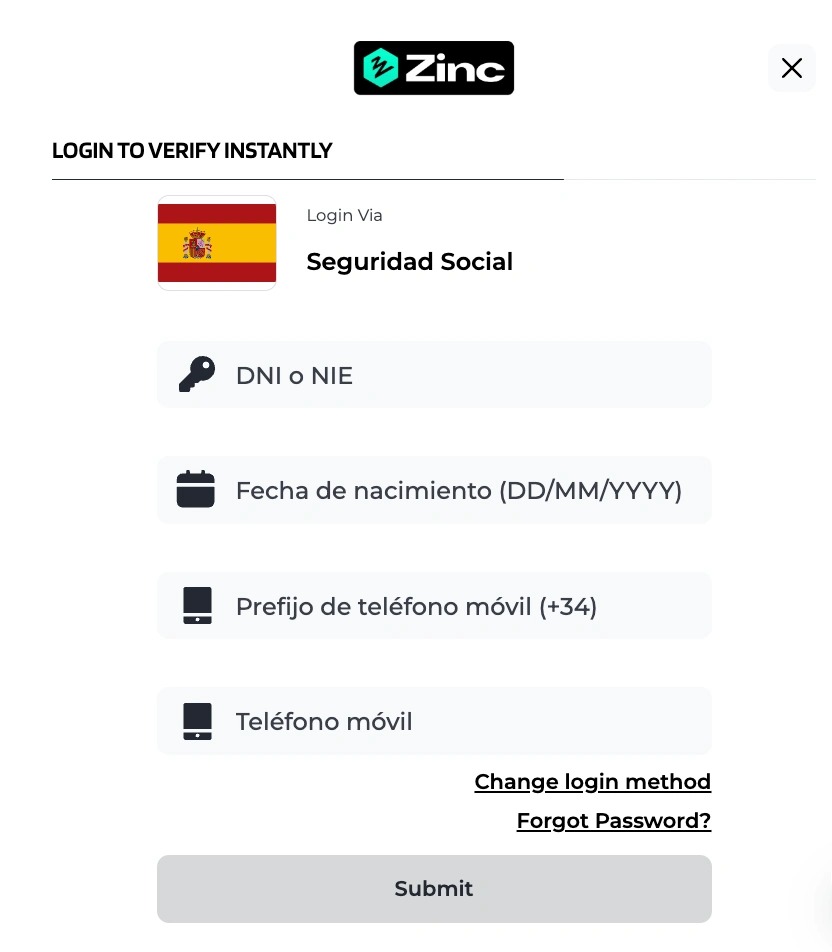
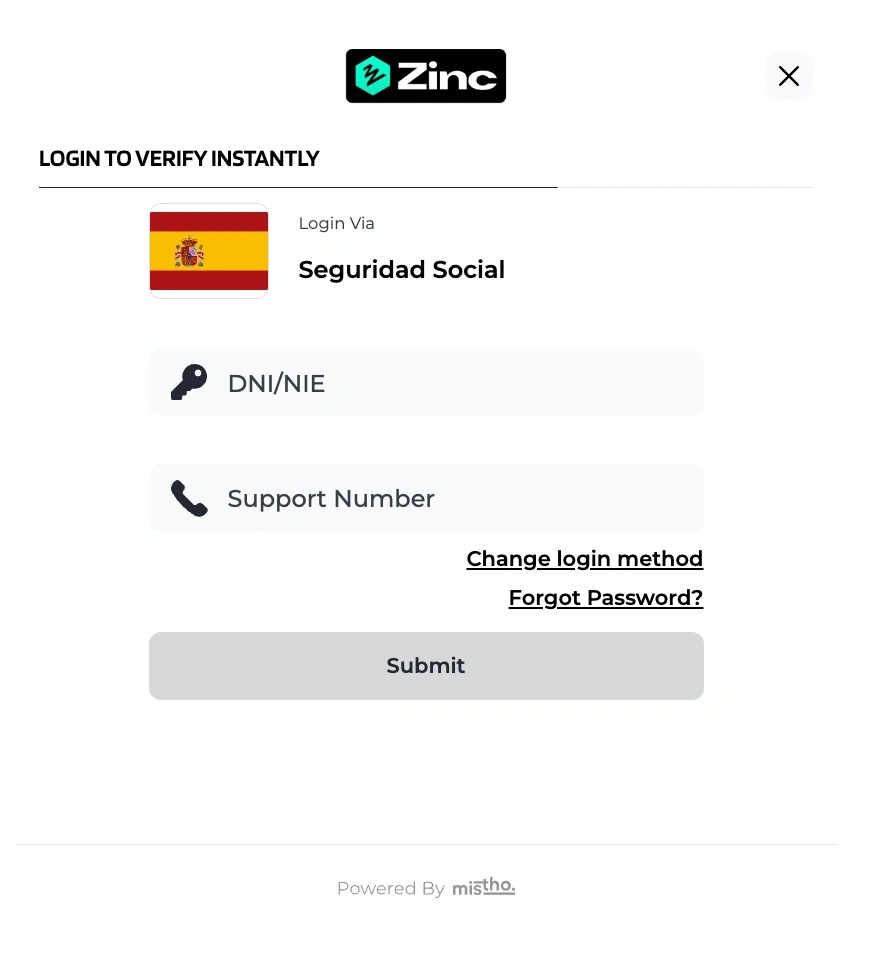
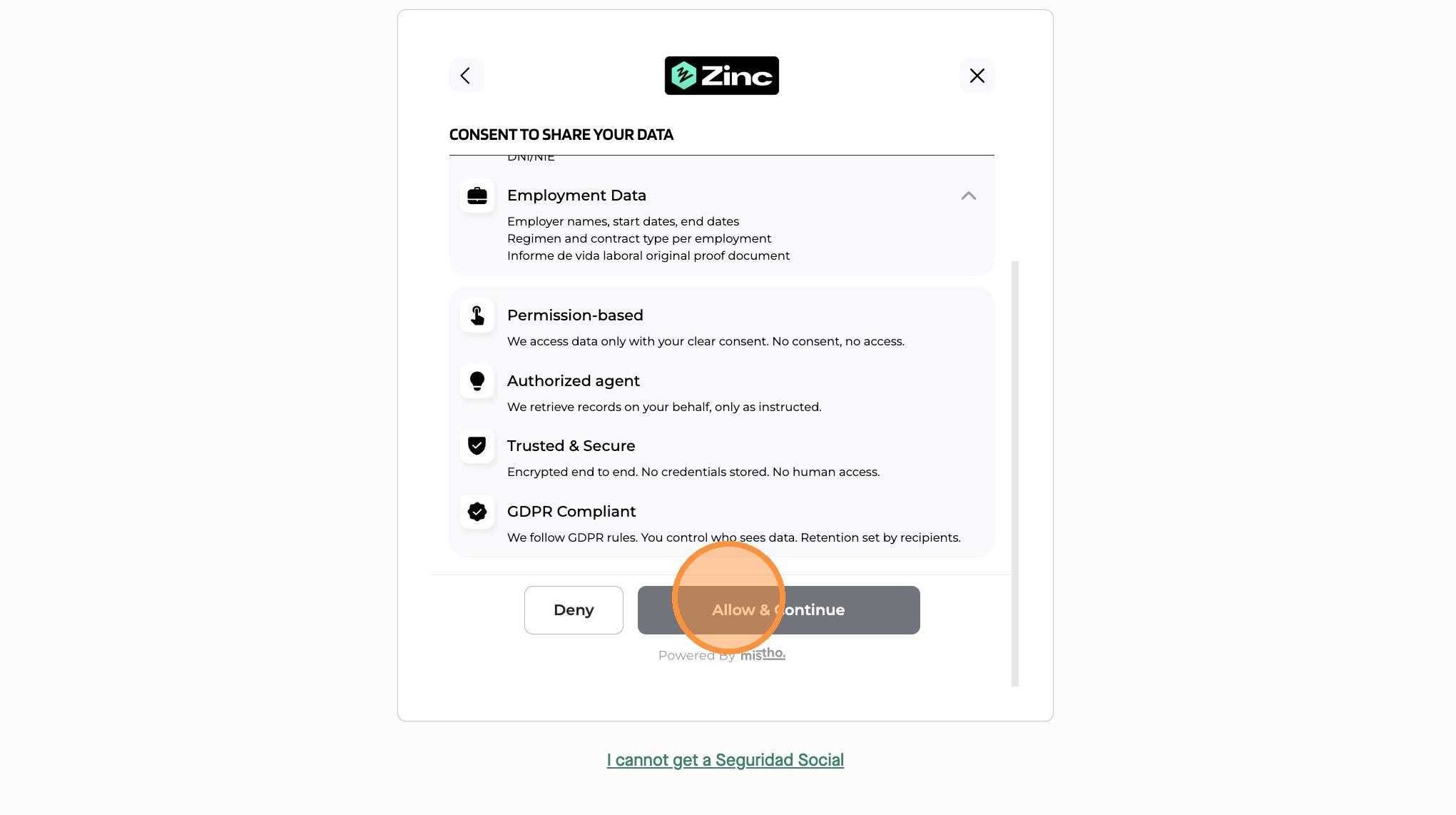
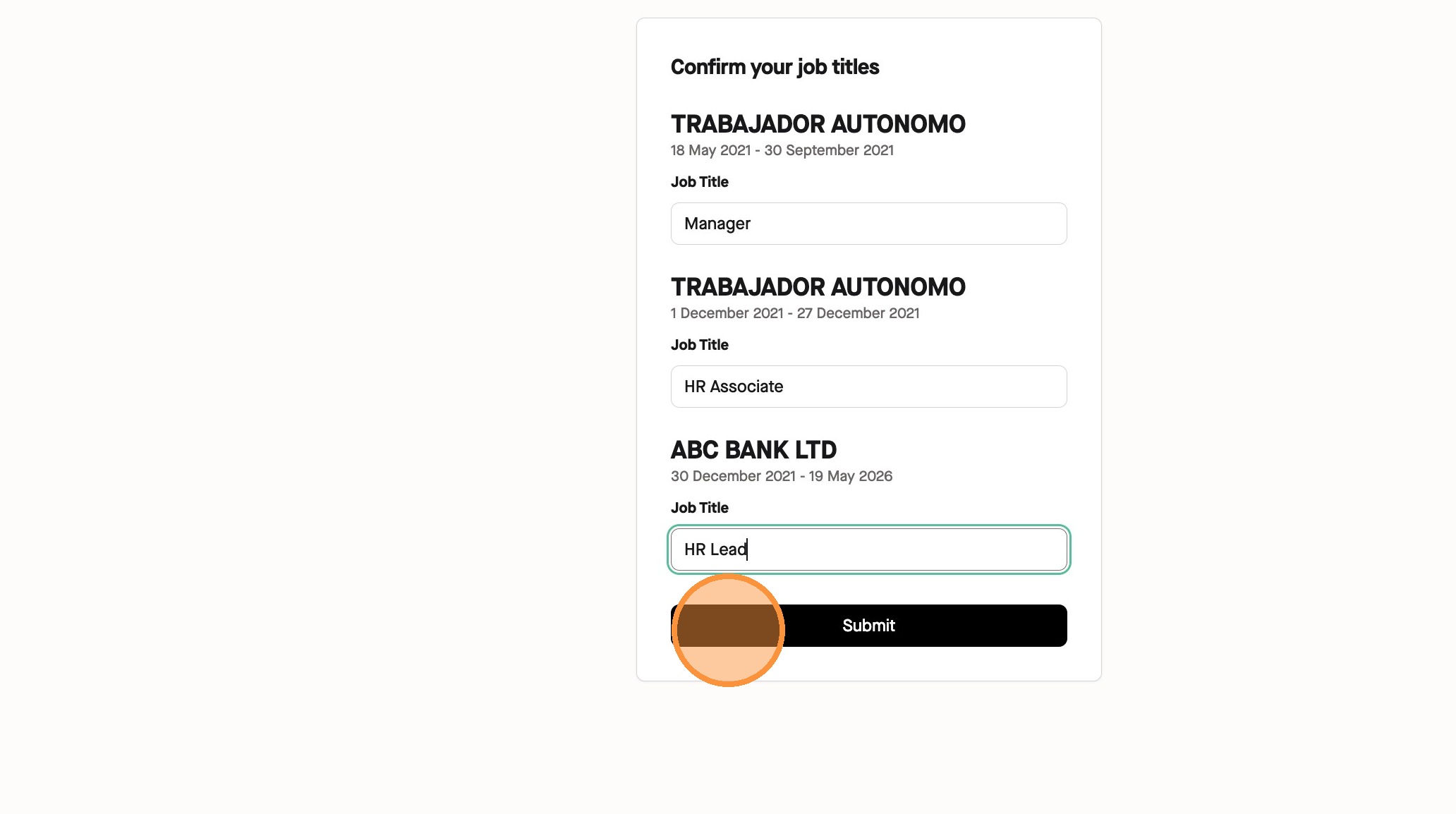
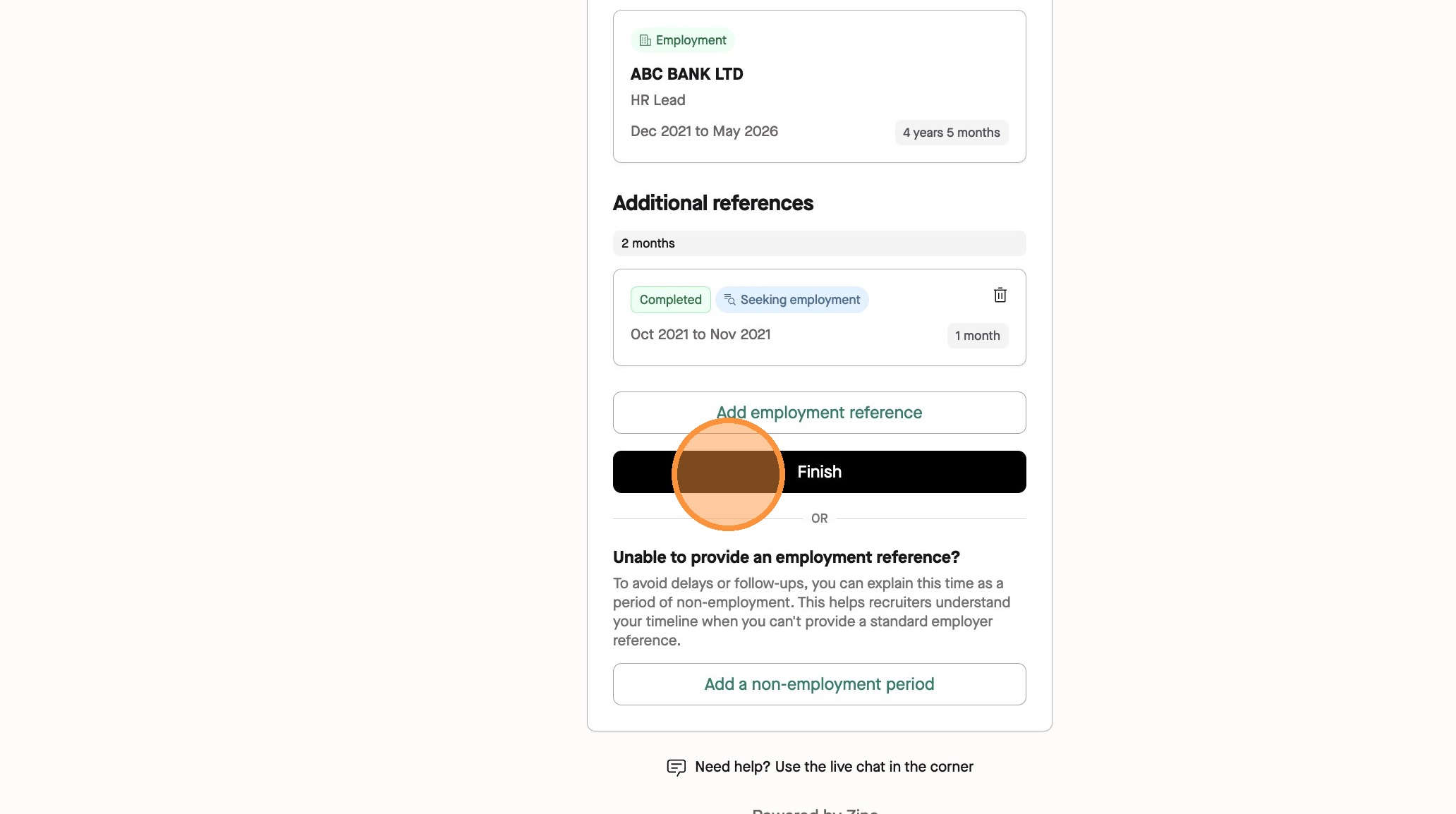
1. Navigate to your submission page and click **References**. ![](https://colony-recorder.s3.amazonaws.com/files/2026-05-19/e0388514-03d2-4554-8ba2-dc488c355a31/user_cropped_screenshot_81179c87b9c44f79acc170f0e1227253_text_export.jpeg) ## Verification preferences 2. Select **Yes** for the **Seguridad Social** account and click **Next**. ![](https://colony-recorder.s3.amazonaws.com/files/2026-05-19/7005fc18-2ce0-4d87-b055-6da97cae59e0/stack_animation.webp) 3. Agree to the consent declaration and click **Next**. ![](https://colony-recorder.s3.amazonaws.com/files/2026-05-19/d64a746b-e6da-4285-91f8-ff56b4adefe9/stack_animation.webp) ## Authentication 4. Select your login method. ![](https://colony-recorder.s3.amazonaws.com/files/2026-05-19/d5c04a00-064a-493c-bc8e-3c170a779a3b/ascreenshot_9ac60d6d5eab4126a2489b303171e9d1_text_export.jpeg) - **Cl@ve Permanente**: Select **Aceder via Cl@ve Permanente**, enter your **DNI or NIE**, then the **password** created for this login method. Click **Submit**. ![](https://colony-recorder.s3.amazonaws.com/files/2026-05-19/2761dfb9-f23c-4634-9a4f-2c4be4838f65/stack_animation.webp) - **SMS**: Select **Acceder vía SMS**, enter your **DNI or NIE**, **date of birth**, **mobile phone number prefix**, and the **mobile phone number** you have with this login method. Click **Submit**. ![](https://colony-recorder.s3.amazonaws.com/files/2026-05-19/60a8bbe7-c153-43a4-a08b-07956619700f/screenshot_37a1d6110f194e38a4e58d0378881431_text_export.jpeg) - **Cl@ve Móvil**: Select **Acceder vía Cl@ve Movil**, enter your **DNI/NIE** and your **NIE Support Number**. Click **Submit**. ![](https://colony-recorder.s3.amazonaws.com/files/2026-05-19/2c1ea49a-e5b7-48d8-9242-8a4f0ddd18af/screenshot_4c0e5c427c364390ace70adf41f0ebd4_text_export.jpeg) 5. Click **Allow & Continue**. ![](https://colony-recorder.s3.amazonaws.com/files/2026-05-19/5a715225-0fd5-4e0f-bd8a-b6c3c75e3150/ascreenshot_2357c689f44240daa6989cd6d583e7b8_text_export.jpeg) ## Employment history details 6. Enter the **job titles** for each verified reference. Click **Submit** once you've provided every job title. ![](https://colony-recorder.s3.amazonaws.com/files/2026-05-19/6feb682e-4dcd-4bba-b496-b6a71453fd71/ascreenshot_1c7477d988cd422791068b072999305a_text_export.jpeg) ## Workflow completion 7. The instant employment verification process is now complete. Once you've completed your employer's reference requirements, click **Finish** to complete the reference check. ![](https://colony-recorder.s3.amazonaws.com/files/2026-05-19/9d5d8252-306c-4851-ae7b-75ffeb5b3092/ascreenshot_f6b3fca3e6a84e7b81631cdd2447934a_text_export.jpeg)