For the complete documentation index, see llms.txt
For the complete documentation index, see llms.txt
Zinc
Help center
How to Update Job Roles
Made a mistake with the job title or need to add a description for a role? Here’s how you can edit those details.
Please note that you **cannot** change the workforce or barred list types for an **approved** role.
In order to change eligibility, you would need to complete a questionnaire again and add a new role into your company.
## Update a job role
1. Head to the **DBS Job Roles** tab in your **Company Settings**.
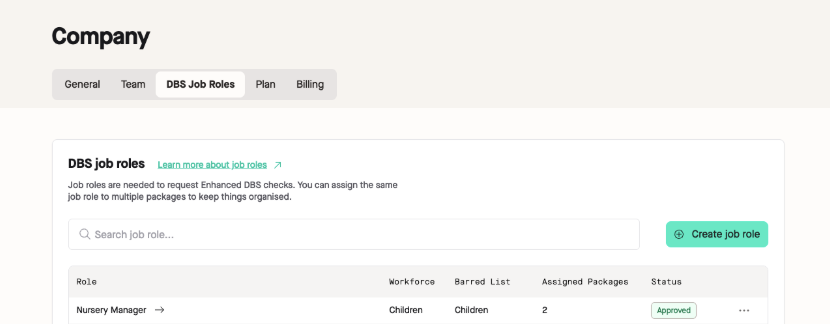
2. Find your job role you would like to edit and click on this role.
3. Click **Edit details** under **Role details**.
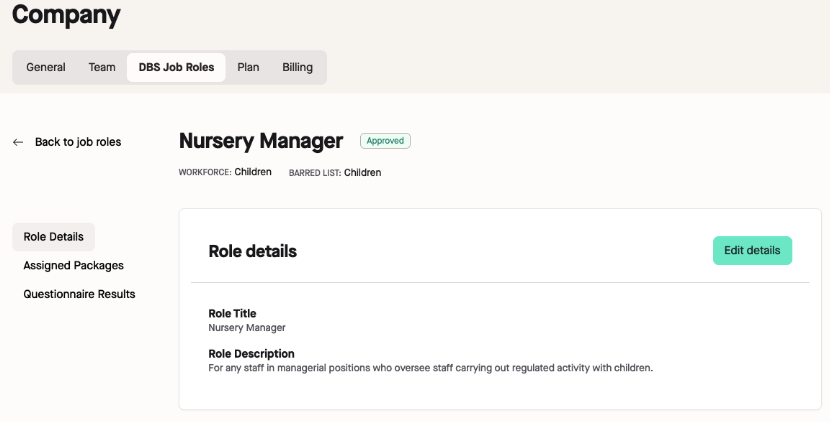
4. Make any changes needed in either of the boxes provided and click **Save role details**.
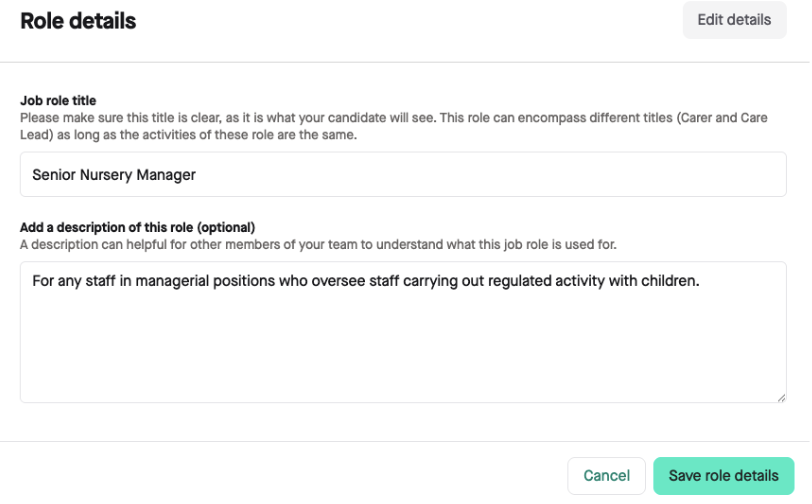
All done! Those changes are now made to the job role and will also be automatically changed within the packages this job role is used.