For the complete documentation index, see llms.txt
For the complete documentation index, see llms.txt
How to Complete a Basic DBS Check Application: Step-by-Step Guide
Here’s a quick guide on how to submit your Basic DBS check application through Zinc.
## Step 1: Provide your details
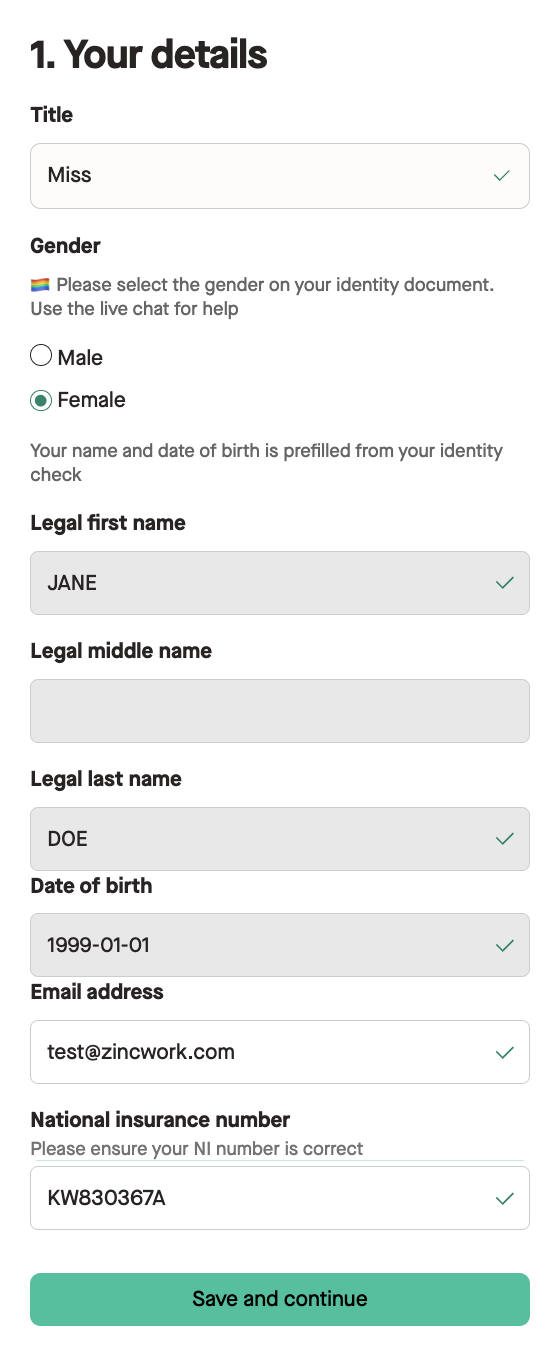
When you start your new DBS application, you will be asked to provide your details.
This will include:
- **Your Title**
- **Gender**
- **Legal Current Full Name**
- **Date of Birth**
- **Email Address**
- **National Insurance Number (if available)**
Your name and date of birth is pre-filled from your identity check you completed just before this check, but just double check that these are all correct before you move on.
If you don't have a National Insurance Number, you can indicate this by ticking **'I don't have a national insurance number'** on the form so you can continue the submission.
Once you have finished this section, click **Save and continue**.
## Step Two: Provide your nationality and provide if any unspent convictions
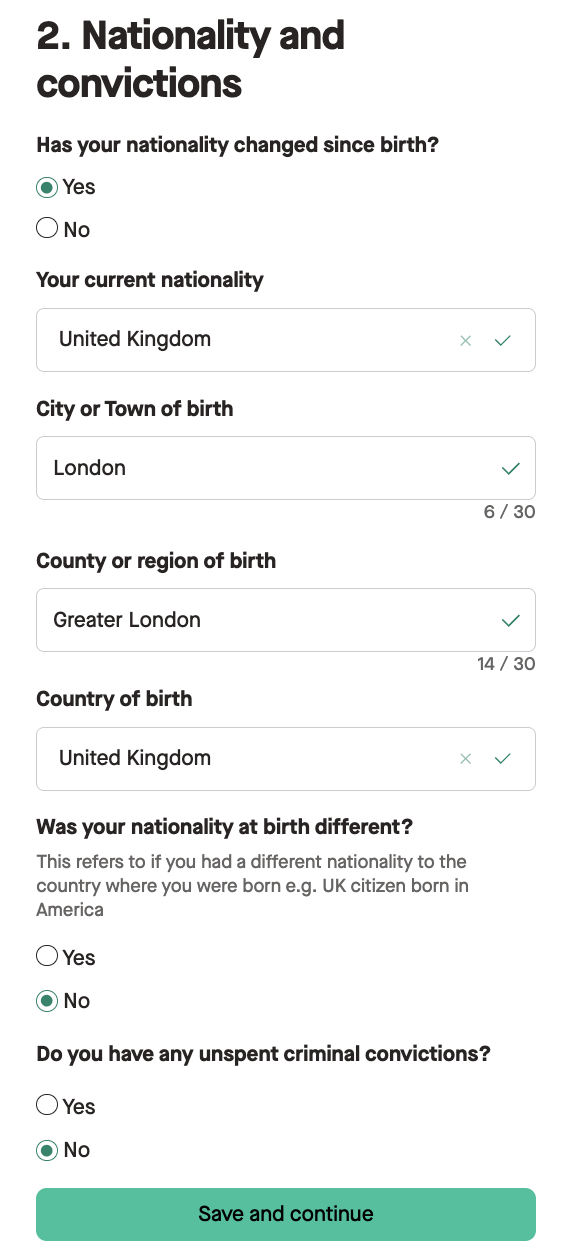
After confirming your details, you will asked to let us know **if your nationality has changed since birth.**
If you have gained a new nationality, like becoming a UK citizen, you would select this as **Yes** and **provide what your current nationality is** like below.
📍 For dual citizens of the UK that gained their British nationality later in life, we recommend selecting this as **yes,** even though your nationality has not changed, to go through the UK citizens DBS route.
You will be asked to provide:
- **City or Town of birth**
- **County or region of birth**
- **Country of birth**
After, you will be asked **if your nationality at birth was different**. This refers to **if you had a different nationality to the country where you were born** such as a UK citizen born in America.
Finally, we ask you to confirm **if you have any unspent criminal convictions.**
When, you have completed this section, click **Save and continue**.
## Step Three: Provide Consent
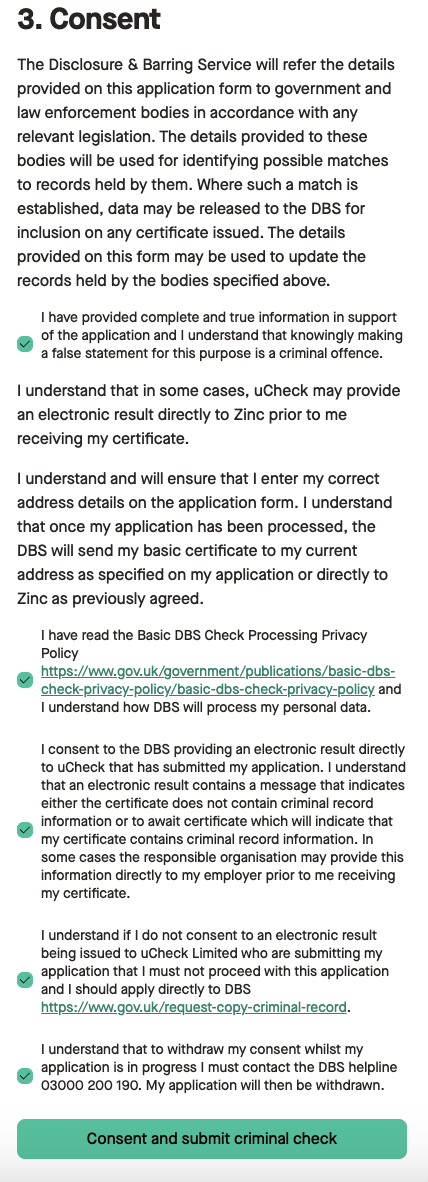
Finally, you will be asked to provide your consent for the check to proceed.
Once you have read through and consented in the tickboxes indicated, click **Consent and submit criminal check**.
## That’s it
You’ve now submitted your Basic criminal check to be processed by the DBS.