For the complete documentation index, see llms.txt
For the complete documentation index, see llms.txt
Why Is My Document Not Being Accepted for Identity Check? Common Issues and Fixes
There are many reasons why your identity check could have failed but luckily, there are some easy fixes to make these successful so you can continue with your checks.
If you’re being asked to redo your Identity Check multiple times, it usually means the information or document you submitted hasn’t met the requirements for a successful verification. This is an automatic process and typically means a correction is needed so your check can be completed.
## Your document could be rejected for the following reasons
- The document has been captured using a scanner
- The original document was not present when the photo was taken
- The document is on a physical screen or device
- OCR Assisted Scans, Severely Washed out Background, Overlapping Text
This means that the document you have tried to upload for this check is either a scanned document, a photo of a photo of a document, photo of a print out of the document, or a photo of a computer screen or within a device.
We cannot accept scanned copies or photocopies - only original photos will work.
**How to solve** : To solve this issue, please make sure you are taking an original photo of your physical passport or identity card that is physically in front of you.

### A critical security feature is obscured
This generally means that either a part of the document is obscured whether that was your finger, a shadow, glare, or just covered up or if you are using a passport, that the document is not signed where signified just above the biometric page.
**How to solve** : Make sure we can see the entire document with all four corners visible so we can view all the information clearly and if your passport isn''t signed, sign it on the line indicated so the document can be processed. Also try to take your photo away from bright lights and turn off your camera flash to prevent glare that might hide important details.

### Photo quality too low, ensure all text on the document is clearly readable
This means that the quality of the images you took were low and because of this, we were unable to process your check. It can also mean that information was covered or cropped out which is needed for the verification.
**How to solve** : The photo should be sharp enough that we can easily read all the text on your document. If you cannot read any text in the photo, we will not be able to accept it. Make sure we can see the entire document with all four corners visible so we can view all the information clearly.

### The back of a document that is needed for processing is not present
Super simple! If you have provided a document like a driving license or national ID card, you have only submitted one side of the document when we need both.
**How to solve** : Make sure you select the right document type when you are completing the identity check by picking a **national ID card, residence permit, or driving license option** and once selected, providing the front and back of the card for successful submission.

### Document type is not supported
#### Unable to identify submitted document
If your document keeps being rejected or flagged as expired even though it's valid, it may be that the document type or issuing country isn't supported by Zinc's identity verification system.
**For example:** Certificates of Travel for the UK, CitizenCards for the UK, Driving Licenses issued in India, Passports issued in Iran, Driving Licenses issued in Pakistan are all documents that cannot be processed.
You can find out more on this issue [here](https://help.zincwork.com/hc/hm54ky7yrc/article/c5d3d14d-unsupported-countries-for-identity-checks).
**How to solve** : If you hold one of these documents, we''d recommend providing an alternative form of ID instead.

### DBS Checks Have Additional Document Requirements
If you're also completing a UK DBS (criminal record) check, your document may be rejected even though it would normally pass a standard identity check. DBS digital identity verification only accepts passports from certain countries *and* that state your **full current legal name** — check the list [here](https://help.zincwork.com/hc/hm54ky7yrc/article/2c3242ed-what-documents-do-i-need-for-a-dbs-identity-check).
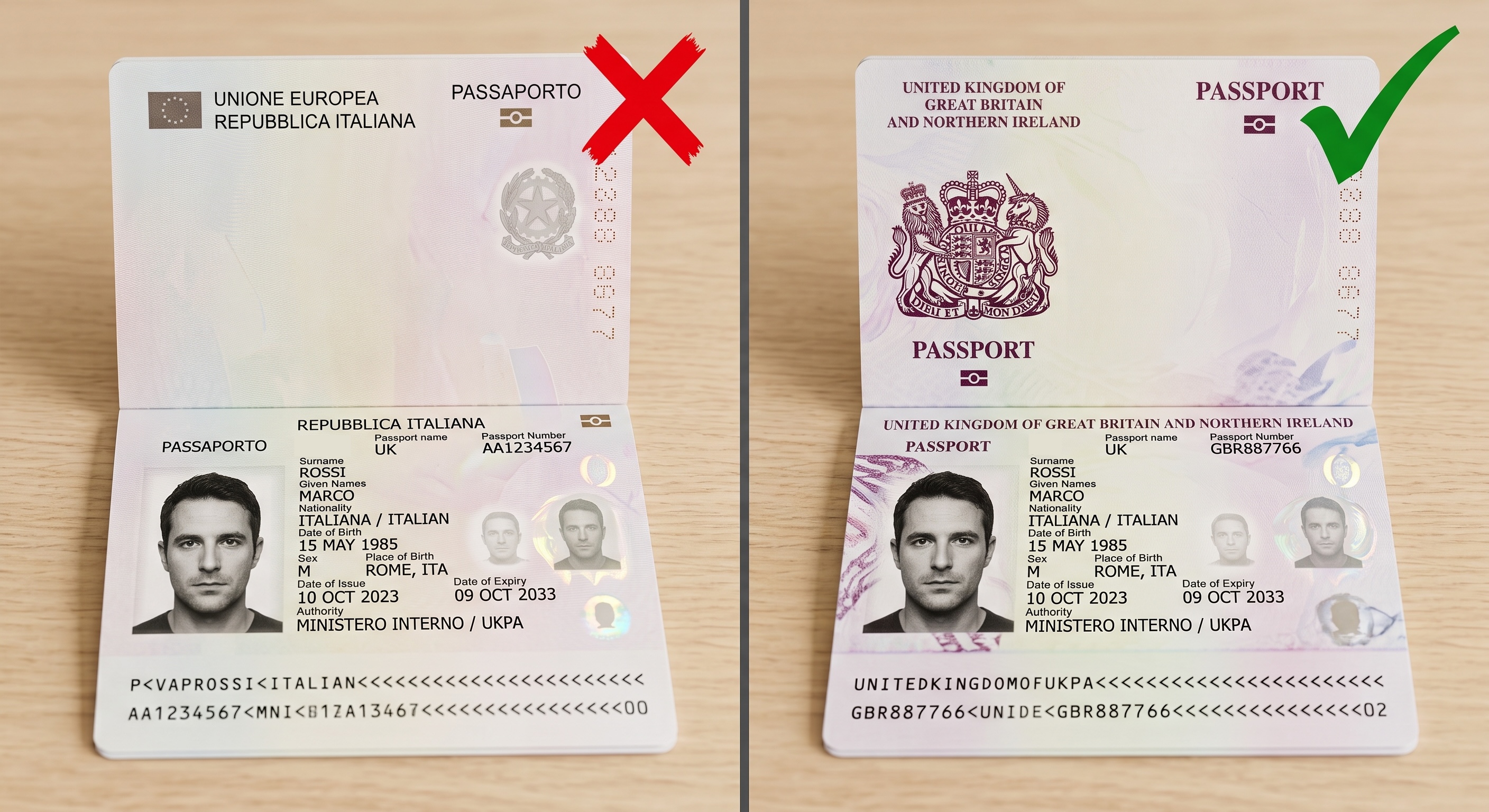
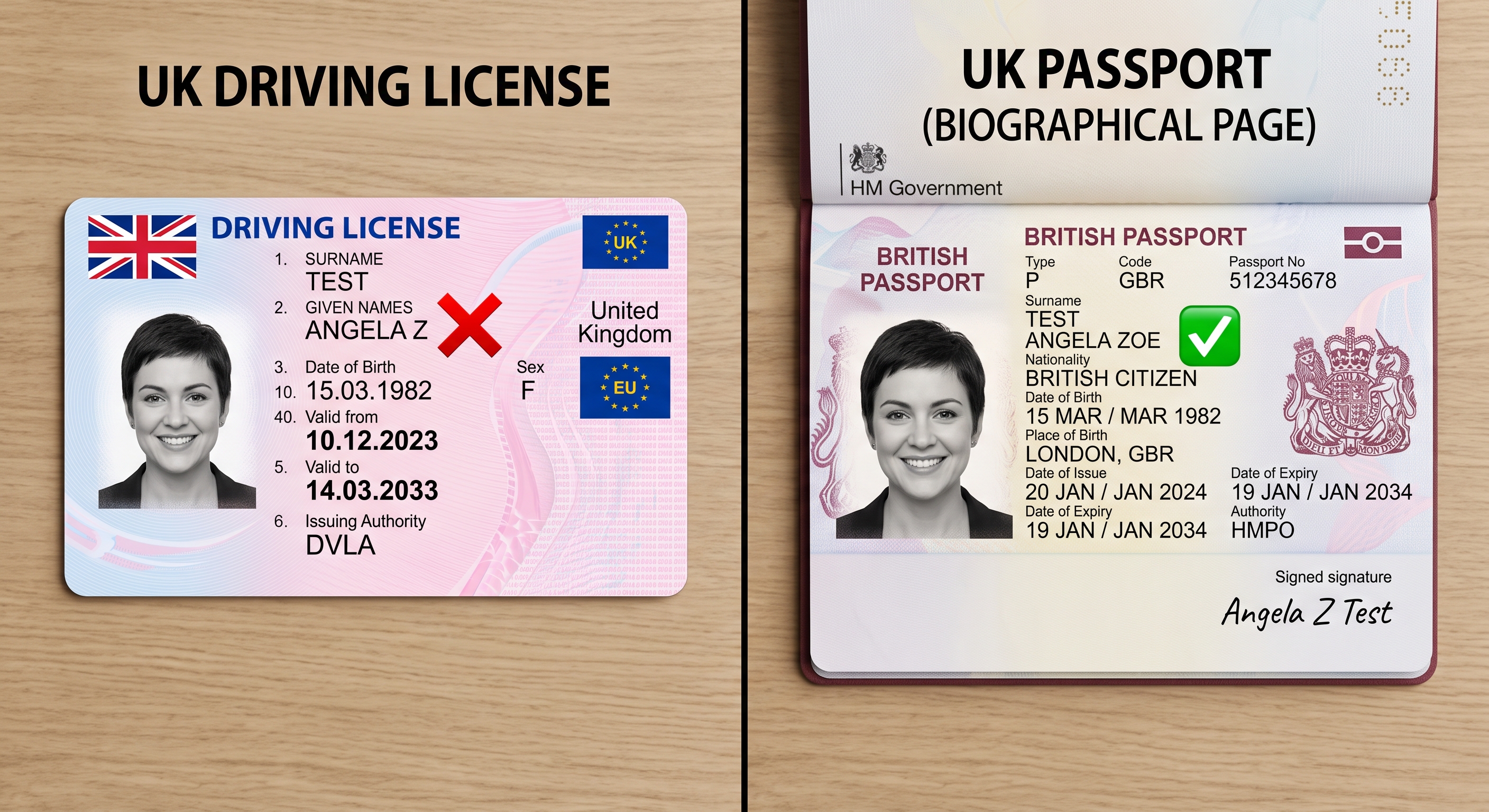
**How to solve**: If your passport isn't on the accepted list, you will need to complete manual verification with your employer. If your document(s) are not issued in your full current legal name, you will need to complete manual verification with your employer.
### The document has expired
The document you are providing for the check is not in date anymore.
**Note:** If your document is valid and not expired but the system keeps flagging it as expired, this may indicate your document type or issuing country isn't supported rather than a genuine expiry issue. Check the **Document type is not supported** section above, or see our full list of [unsupported countries](https://help.zincwork.com/hc/hm54ky7yrc/article/c5d3d14d-unsupported-countries-for-identity-checks).
**How to solve** : To resolve this, please provide a valid, in-date document to complete the check. For the UK specifically, **if you have a DBS criminal check**, you can also inform us you can't provide a document. You can find out more on this process [here](https://help.zincwork.com/hc/hm54ky7yrc/article/2c3242ed-what-documents-do-i-need-for-a-dbs-identity-check).
If you do have a UK criminal check to complete and you cannot provide documents that can be accepted for digital identity verification, you will need to complete a manual review of your documents with your employer.
