For the complete documentation index, see llms.txt
For the complete documentation index, see llms.txt
How to Cancel Background Checks on Zinc
If a candidate has informed you that they no longer want to proceed with the checking process/the role, you can easily cancel those background checks you have for them on Zinc.
To cancel the background check, head to the [Request](https://app.zincwork.com/recruit)
dashboard.

1. Find the candidate you want to cancel checks for in their specific row.

2. Click the **...** icon at the end of the candidate's row to open up all the options.
3. Click **Cancel check**.
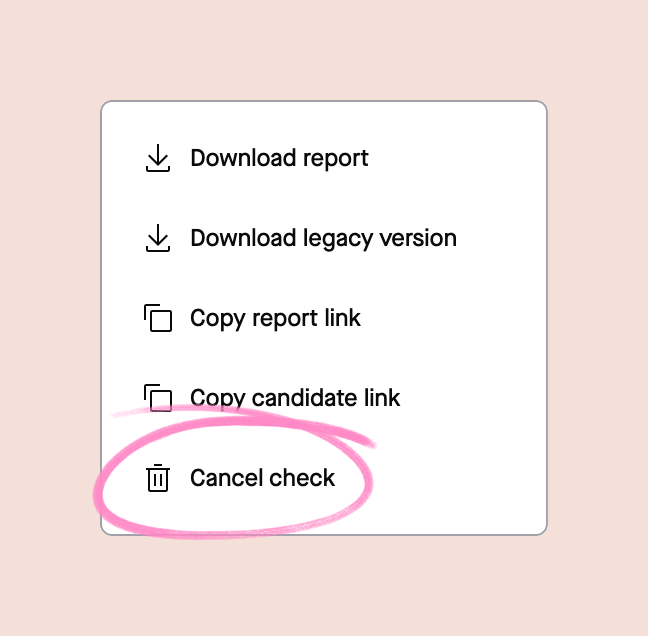
Those checks are now cancelled and the candidate will be removed from the Recruit page.
## What happens after you cancel?
- Cancelling a background-check request cancels **every check in that request immediately**, including any checks that were **partly completed**.
- The candidate is removed from your **active requests**.
- Any **detailed report links** for that request become **inaccessible**.
- Any **submitted information** or **partial results** from the checks **cannot be recovered or viewed** after cancellation.
- The **Reporting Dashboard** may still show **high-level details** for the cancelled request (for example, that it was cancelled), but it will not show the underlying check results.
## Are you a candidate and want to cancel your checks?
Contact your employer directly to inform them of this decision so they can proceed with the cancellation process.