For the complete documentation index, see llms.txt
For the complete documentation index, see llms.txt
How to Track the Status of a Candidate's DBS Check Using Zinc and DBS Tracking Service
To track your candidate's DBS check status, follow these steps:
1. Go to your candidate's report on Zinc.
2. Scroll down to the section called **Criminal** and find the **England & Wales** subsection.
3. Here, look for the criminal check status labeled **In verification**. This means the check is currently being verified and is in progress but not yet complete.
4. Click on **Expand content** in this section.
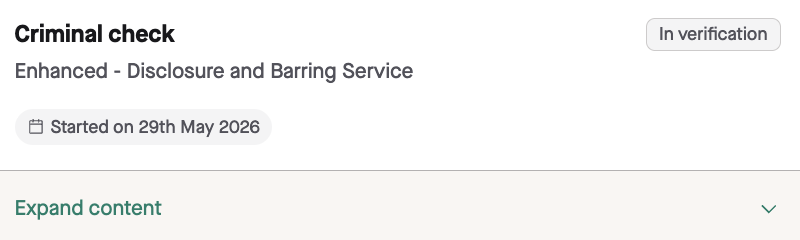
5. Look for a box containing the message: **Further information about the progress of this criminal check is available here**. This box should show the **DBS Applicant Form Reference** and the applicant's **Date of Birth**. 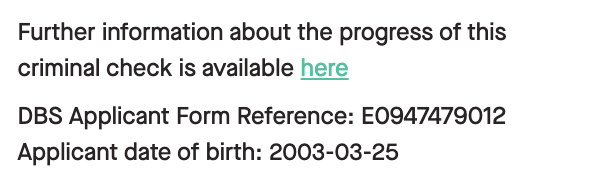
- If you need the DBS tracking/reference number, check this box in the candidate report first.
- Recruiter/company users: if the box or the **DBS Applicant Form Reference** is not visible in the report, contact Zinc Support so the team can check and escalate this if needed.
- Candidate users: candidates cannot access this report location. If a candidate needs their own DBS Applicant Form Reference, they will need to contact Support for assistance.
6. Click the highlighted **here** link to open the DBS tracking service.
7. On the DBS tracking service page, enter the **DBS Applicant Form Reference** and **Applicant Date of Birth** from the candidate report. For a Basic DBS, you will also need to provide the **Applicant's Surname** and some **characters shown** on the Disclosure & Barring Service website.
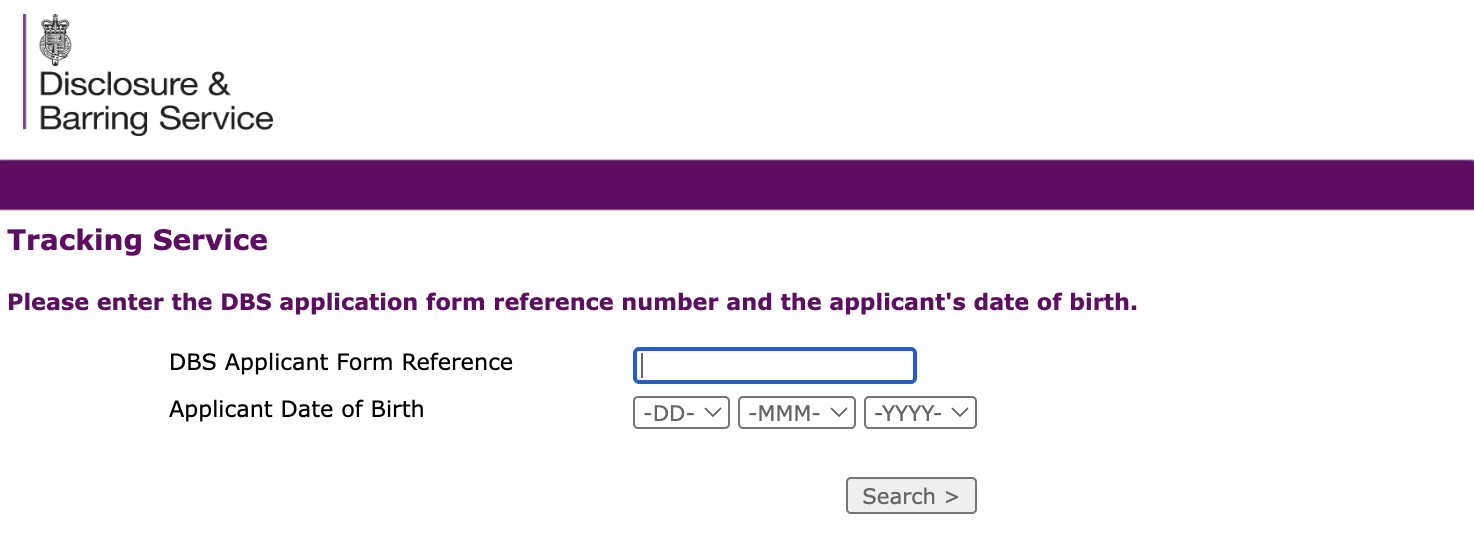
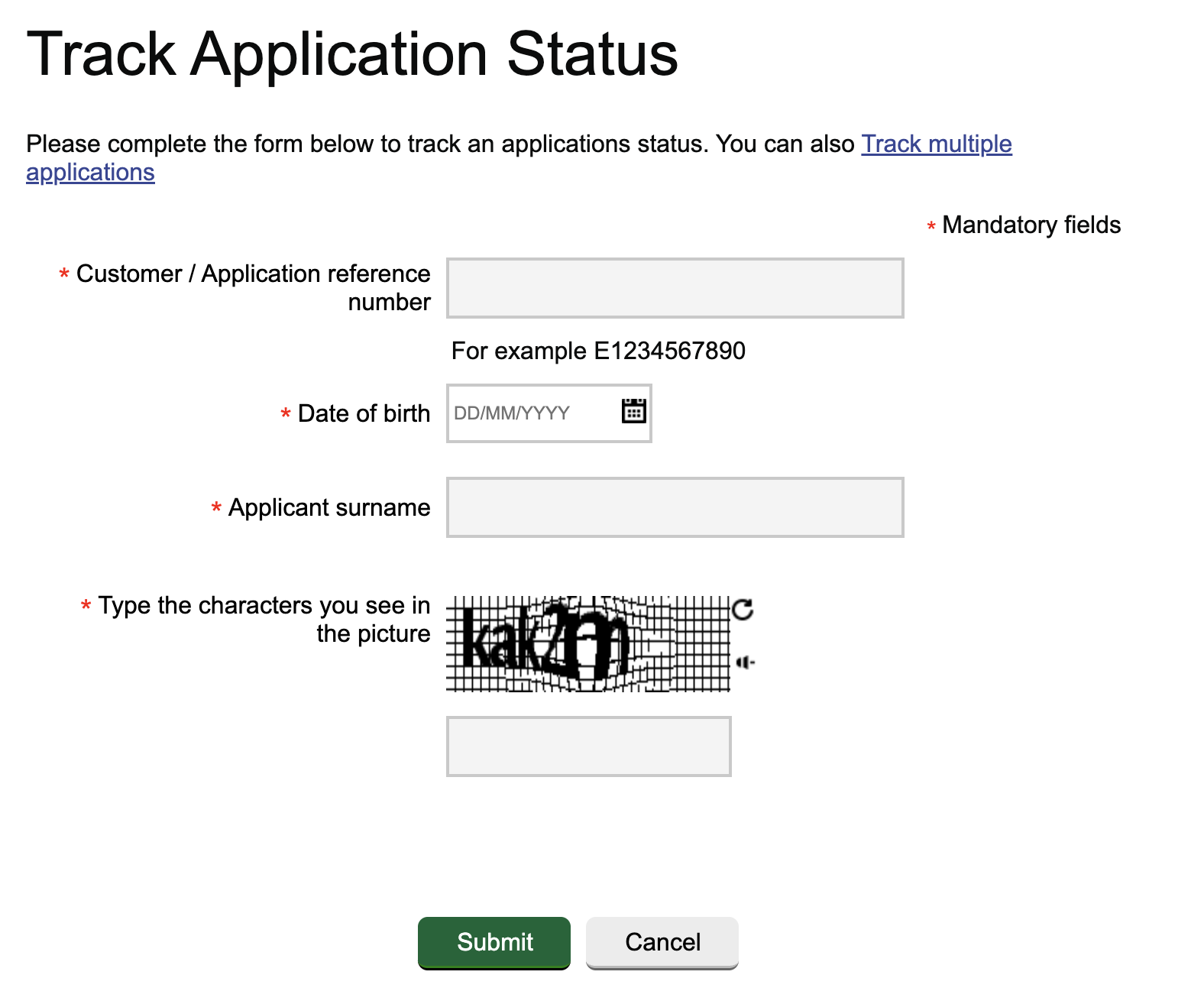
8. Click **Search** or **Submit** to view more detailed information about the status of the DBS check, including which stages have been completed and when.


Additional notes:
- Zinc **cannot** expedite DBS checks, as the process is controlled by the DBS.
For Enhanced DBS checks only:
- If the application is stuck at stage 4 for 60 days, the case will be automatically escalated; there is no need for you to request this.
- The candidate can also contact the DBS directly at 03000 200 190 for more information.
- The candidate will need to provide the DBS E0 Application reference number, which can be obtained via Zinc Support Team live chat or you can provide this directly from the candidate's Zinc report.
These steps allow you to monitor the status of your candidate's DBS check effectively and understand next steps if delays occur.