For the complete documentation index, see llms.txt
For the complete documentation index, see llms.txt
How to Complete a Manual ID Verification for Standard and Enhanced DBS Checks
If a candidate can't complete Zinc's digital identity check, or you decide to check their documents yourself, you record a manual identity check in Zinc. For the documents you can accept, see [Which Documents Can You Accept in a Manual DBS Identity Check?](https://help.zincwork.com/hc/hm54ky7yrc/article/b3c54a7b-when-recruiters-must-manually-verify-identity-for-uk-dbs-checks).
## When Is a Manual Check Required?
Zinc runs the digital identity check by default, but you don't have to wait for it to finish. As soon as the candidate has completed Confirm your details, you can record a manual check yourself. **You can only conduct this if the candidate’s date of birth and name in the Zinc platform are correct.**
A manual check is required when the digital route can't be completed, which typically happens because:
- There was a persistent problem with document quality (for example, a blurry photo) that wasn't resolved after 6 resubmission attempts.
- The candidate provided a UK birth certificate and proof of National Insurance, which aren't eligible for the digital route.
- The candidate couldn't provide the identity documents the digital process needs.
- The candidate's digital address history couldn't be verified at their current address. If there are no digital matches at the current address, the identity check fails even when the documents themselves are valid.
- The candidate reached the reset limit for a name or date of birth mismatch. Three resets without a successful match move the case to manual verification.
When this happens, you'll see an **Action Required** status in Zinc and receive an email asking you to complete the manual review.
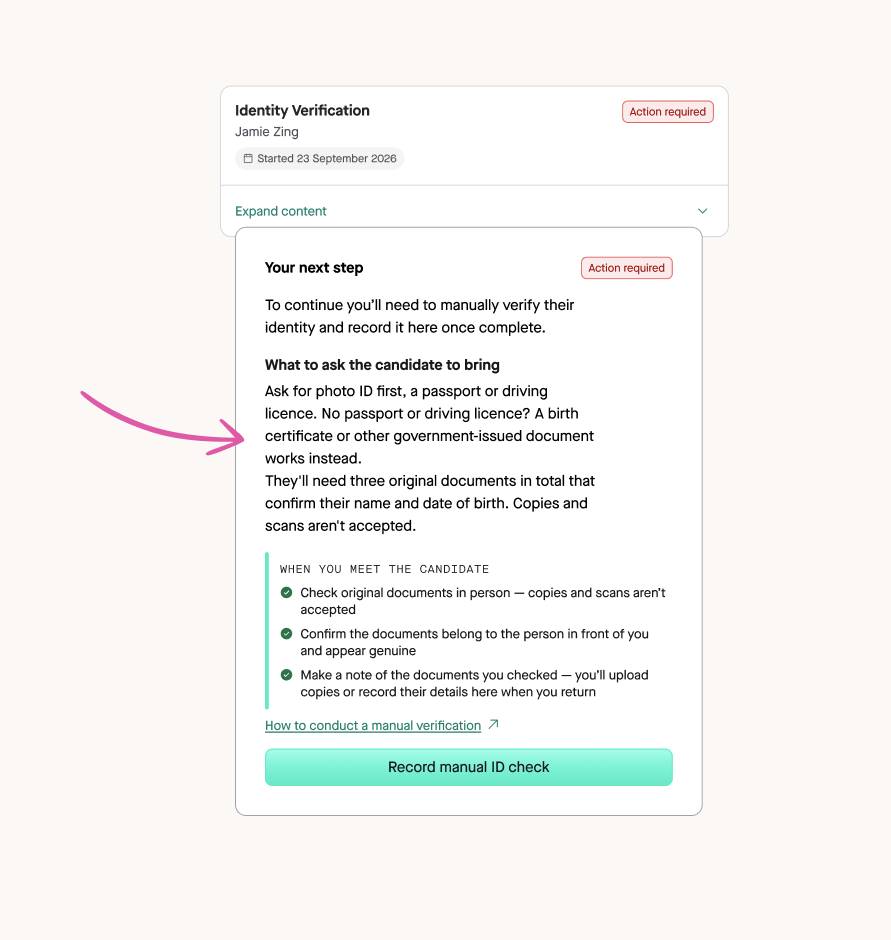
## When You Might Choose a Manual Check
You can record a manual check at any point after the candidate has completed **Confirm your details**, even if their digital check hasn’t failed. You might choose to when:
- The candidate is stuck resubmitting their identity check, for example because of image quality or details they can’t resolve themselves.
- The digital check has flagged a mismatch between the candidate’s details and their document, but you’ve seen the document and the details in Zinc are correct.
- You’ve already met the candidate in person and checked their original documents.
Before you record a manual check, **make sure the name and date of birth in Zinc are correct**. These are the details passed to the DBS. If either is wrong, the candidate must resubmit their details first.
## Before You Start
Recording a manual check tells Zinc about a verification you've already completed. Please ensure you read the [DBS identity checking guidance on GOV.UK](https://www.gov.uk/government/publications/dbs-identity-checking-guidelines/id-checking-guidelines-for-standardenhanced-dbs-check-applications-from-22-april-2025) first.
Before you open the form, have ready:
- The documents the candidate presented, or their document details if you didn't keep copies.
- The method you used and, if you didn't verify in person, why.
This ***only*** applies to **Standard and Enhanced** DBS checks. Manual verification for Basic checks and Right to Work checks hasn't changed.
## How to Conduct the Manual Check
There are three options. Use Option 1 wherever possible.
> Option 1 — In-person (recommended). The candidate is physically present with their original documents. This is the default and preferred route.
> Option 2 — Live video, documents posted to you. You hold the candidate's original physical documents while the candidate joins via live video. Use only where Option 1 is not possible.
> Option 3 — Live video, candidate holds documents. The candidate holds their original documents on a live video call with you. This should only be used in cases of remote working or other exceptional circumstances. If you use Option 3, the documents must still be verified in person before the candidate starts employment — at the latest on their first day. The check is not complete until in-person verification has taken place.
**Confirming Option 3 Documents in Person**
Option 3 is a two-stage check. It isn't complete until you've seen the original documents in person. That must happen before the candidate starts, and no later than their first day.
## Recording Your Manual ID Check in Zinc
After you've completed the manual check, record it in Zinc. The DBS application can't be submitted until you do.
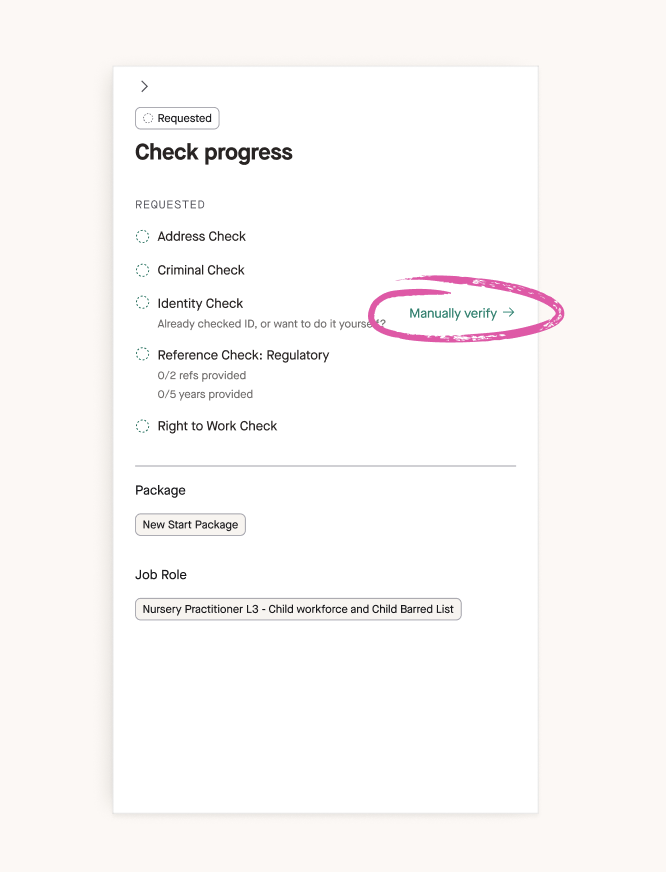
Open the candidate's report and select **Record manual ID check** in the candidate’s report. You can also select **Manually verify** under Identity Check in the **Check progress panel**.
If the panel says the candidate's details don't match their identity document, it shows two tabs: **Reset candidate details** and **Manually verify identity**. Choose Manually verify identity to proceed with recording the verification. **Only do this if the name and date of birth in Zinc are correct.** If either is wrong, the candidate must resubmit their details first.
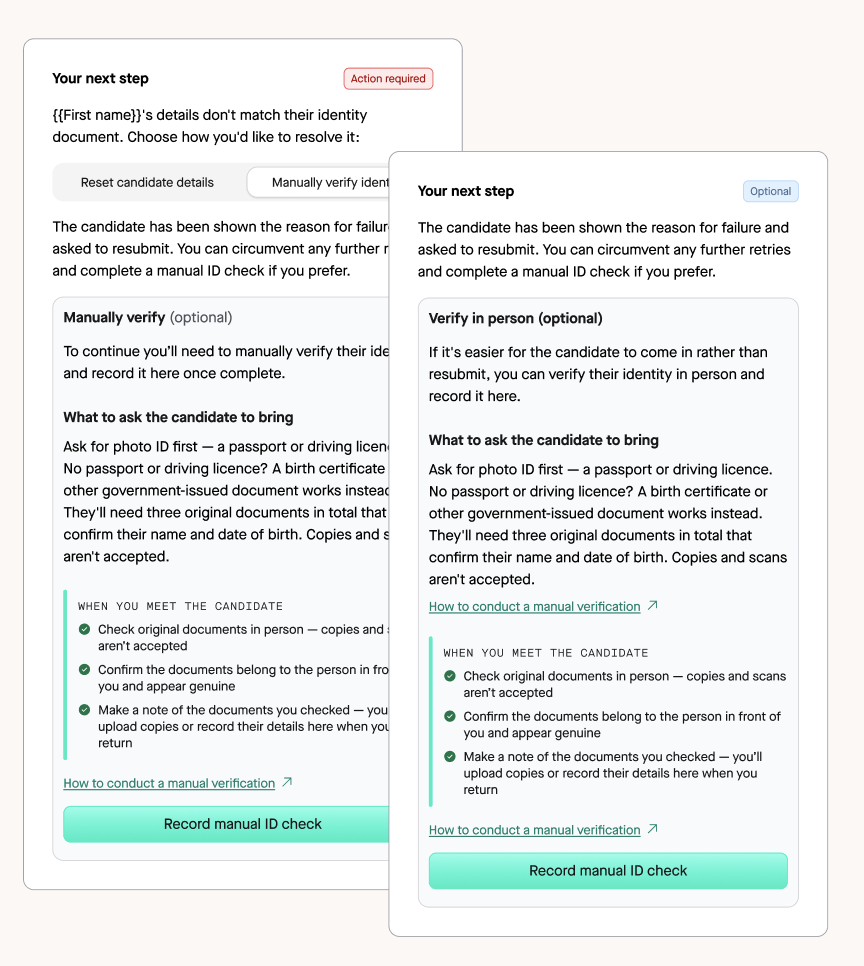
### The Record manual ID check form has four steps.
1. **Record your verification.** Read the summary, then select Next.
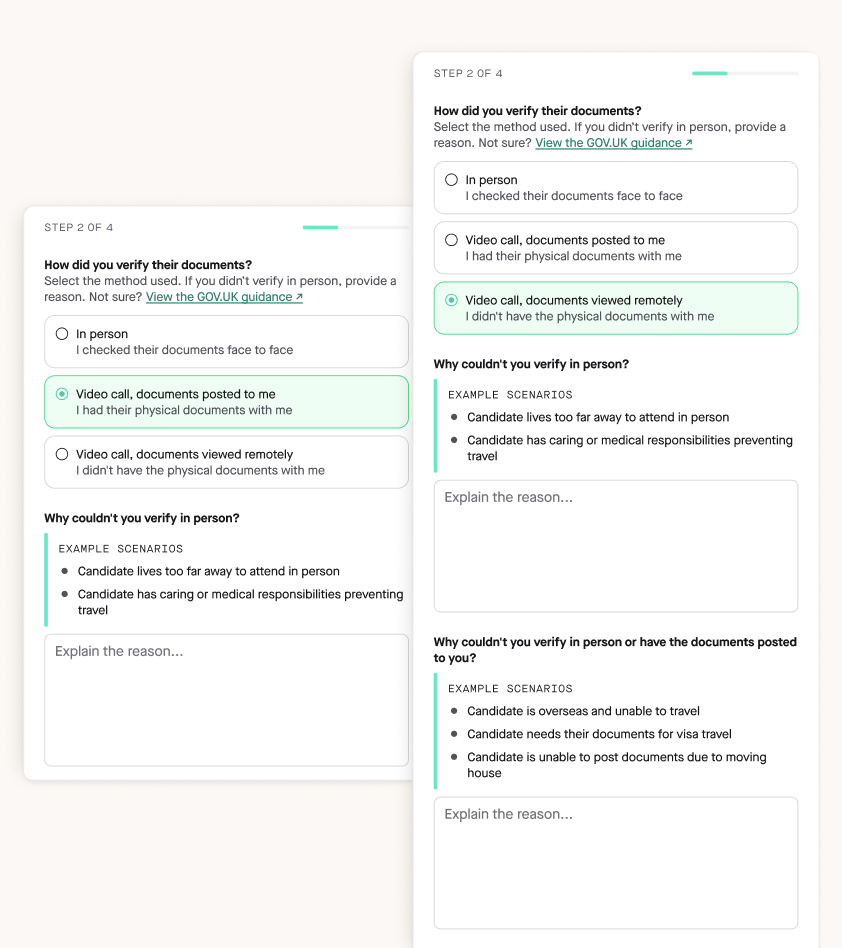
2. **How did you verify their documents?** Select **In person,** **Video call, documents posted to me,** or **Video call, documents viewed remotely.** If you didn't verify in person, give your reason.
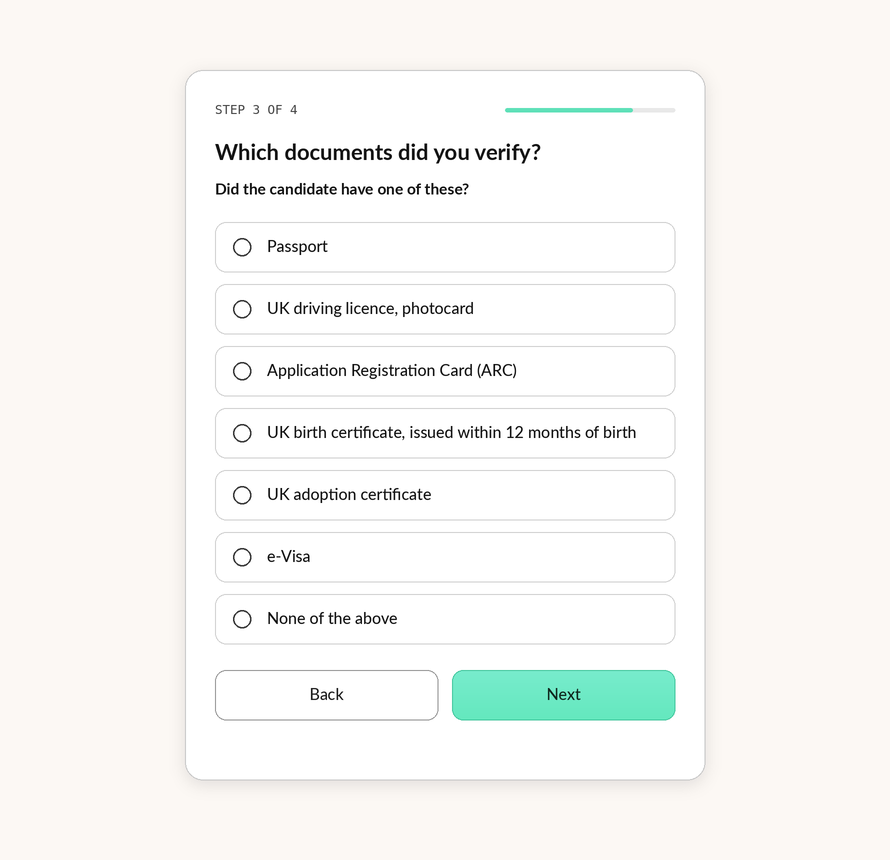
3. **Which documents did you verify?** Zinc shows a list of documents. Pick the one the candidate had, and Zinc works out the route. If they didn't have any of the first list, you're shown a second list. For each document, enter the issuing country, the document reference number and the expiry date (the fields vary by document), then select Save document.
4. **Agree to the Manual identity verification declaration.** Enter the full name of the person who carried out this verification, and confirm that you have completed the verifications in line with DBS protocol.
Once you submit, Zinc will automatically submit the DBS application if the candidate has completed it.
## What Zinc Records
Zinc keeps an audit trail on the candidate's report. It shows who recorded the verification and when, the option used, the route, the details of each document, and that the recorder confirmed the documents were checked in line with the DBS identity checking guidelines.
## Your Organisation's Obligations
**Whichever option you use, your organisation must:**
- See the original physical documents (unless Option 3 applies, in which case you confirm them in person afterwards).
Check the likeness, authenticity, consistency and validity of the documents.
- Confirm the documents belong to the applicant by comparing them with the candidate in person.
- Record each document you checked in Zinc.
- Keep that record for at least 2 years from the date the check was completed.
- Be able to show who did the check, when, and how.
The 2-year retention requirement applies to **all DBS applicants, including volunteers.** It's a DBS compliance requirement, not an employment law requirement, which is why it may not appear in general employment guidance.
## Frequently Asked Questions
### Does the manual check apply to volunteers as well as employees?
**Yes.** The manual verification process, including the document retention requirement, applies to every DBS applicant, whether they're employed or volunteering.
### Do we need to keep copies of the identity documents we check?
**You must keep a record of the check for at least 2 years** from the date it was completed, and be able to show who performed it, when and how.
### What if the candidate can't provide any of the required documents?
See [Which Documents Can You Accept in a Manual DBS Identity Check?](https://help.zincwork.com/hc/hm54ky7yrc/article/b3c54a7b-when-recruiters-must-manually-verify-identity-for-uk-dbs-checks) for the routes and what happens if no route can be met.
### Why can't Zinc submit the DBS until I complete the manual verification step?
The DBS requires identity to be verified before an application can be submitted. Until you **record your manual ID check in Zinc, the application remains on hold.** Recording the check also creates the audit trail required for compliance.
### Can one team member check the ID documents and a different team member confirm in Zinc?
**Yes.** Please keep an internal record of who physically inspected the documents, so you can show who did the check, when and how if you're audited. You will need to declare this person’s name in **step 4.**
### What can I do if we have verified the wrong documents?
Contact our Support Team via our live chat, or email us at contact@zincwork.com, and ask us to reset the check.