For the complete documentation index, see llms.txt
For the complete documentation index, see llms.txt
Chile Criminal Check — Candidate Guidance for Zinc Users
## How to submit your criminal check in Chile
### Step 1: Log in or create your Zinc account
Once your employer requests a criminal check, log in to your Zinc account. If you don't have one, create one. Once logged in, confirm:
- Your full name (including any middle names, second surname, or spouse name if applicable)
- Your date of birth
### Step 2: Complete the Specific Authorisation Form
When you start your criminal check on Zinc, you need to complete the Mandate form (*Mandato para Gestionar Certificado de Antecedentes Penales*) and get it notarised. **Complete this step first** — the form will not be accepted without notarisation.
Download the form directly from Zinc using the **Download Specific Authorisation Form** button. 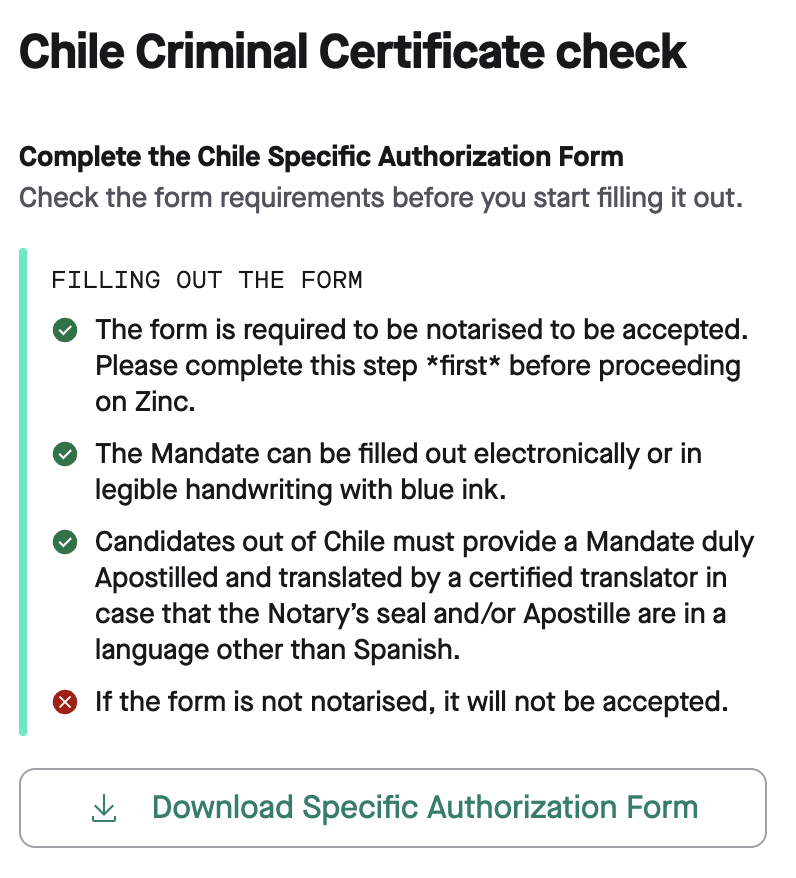
Fill in the following:
- **Full name** — forename, middle name(s), surname, and second surname if applicable, exactly as it appears on your ID
- **RUN number** — your Chilean National ID number. This must be a regular RUN, not a provisional one
- **Passport number** — optional, but include it if available
- **Date of signature** — in DD/MM/YYYY format
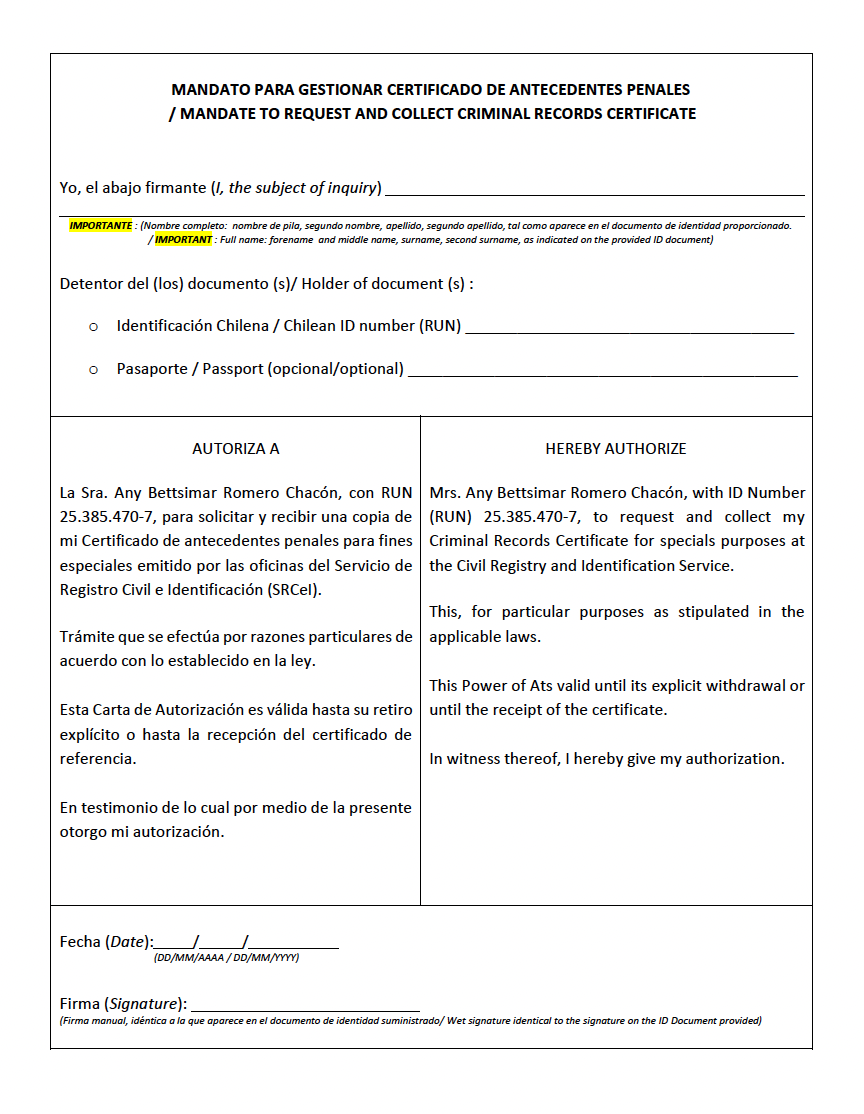
The form can be filled out electronically or in legible handwriting in blue ink. Your signature must be a wet signature (signed with a pen), identical to the signature on your ID document.
**Getting the form notarised:**
**If you are in Chile:** Use your Chilean ID card as identification. If it is expired, you can use your passport or another document accepted by the Notary — but your RUN number must always be referenced in the form.
**If you are outside Chile:** Use your passport or any document accepted by the Notary. The form must also be apostilled. If the Notary's seal or Apostille is not in Spanish, you must provide a translation by a certified translator.
If the form is not notarised, it will not be accepted.
### Step 3: Send the completed notarised form by post
Post the original notarised form (and apostille if applicable) to:
> Mrs. Any Romero, Santa Clara 349, Apartment 1102, La Cisterna, Metropolitan Region, Chile
Important:
- Use the exact address above — delivery will fail if it is altered
- Do not include any other name (like your recruiter's or Zinc's) on the envelope
- The shipment contact for the courier is: Mrs. Any Romero — +56 9 37527453 (for the shipping company only; do not use it for direct contact)
- Do not add extra documents to the envelope (e.g. application forms, ordering instructions, contracts, expired documents, old criminal checks, visas, or signed consents)
**Exception — electronically notarised documents:** If your form was notarised electronically in Chile and carries a QR code from a Chilean authority, you can upload the document directly on Zinc without posting it. See Step 4 for how to handle the shipping fields in this case.
### Step 4: Enter your shipping details on Zinc
Once you have posted your documents, return to Zinc and enter:
- Shipping company name
- Tracking number
If your form was electronically notarised in Chile, enter "Electronically Notarized" in both fields instead. 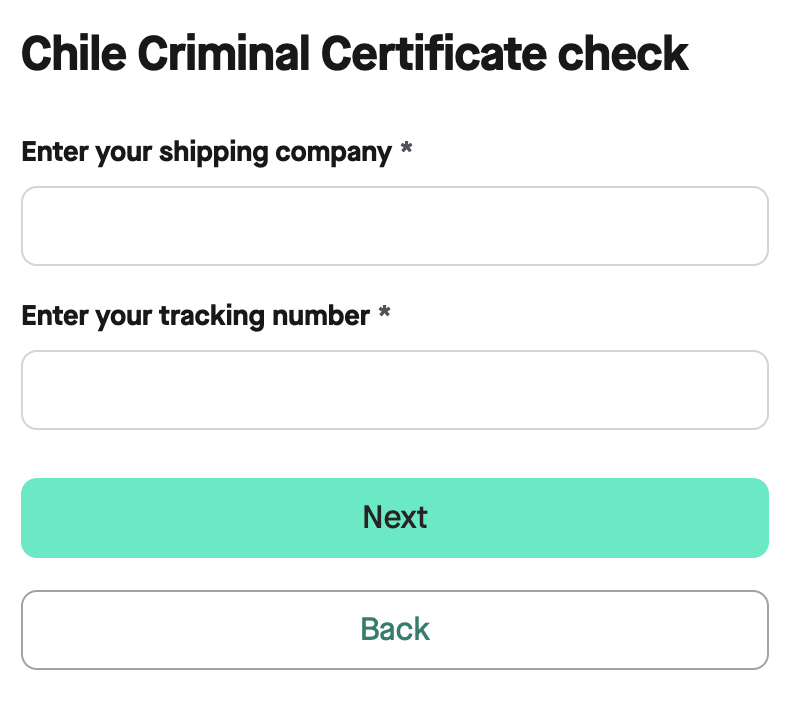
### Step 5: Confirm your citizenship and upload your ID
Select whether you are a Chilean citizen or not, then upload a copy of your identity document:
- **Chilean citizens:** Valid Chilean ID card (front and back) or Chilean passport
- **Foreign nationals:** Valid foreign passport or Chilean residence permit used at the Notary for authentication. Note that a valid regular Chilean RUN/RUT (not provisional) must also be provided — without it, the certificate cannot be requested
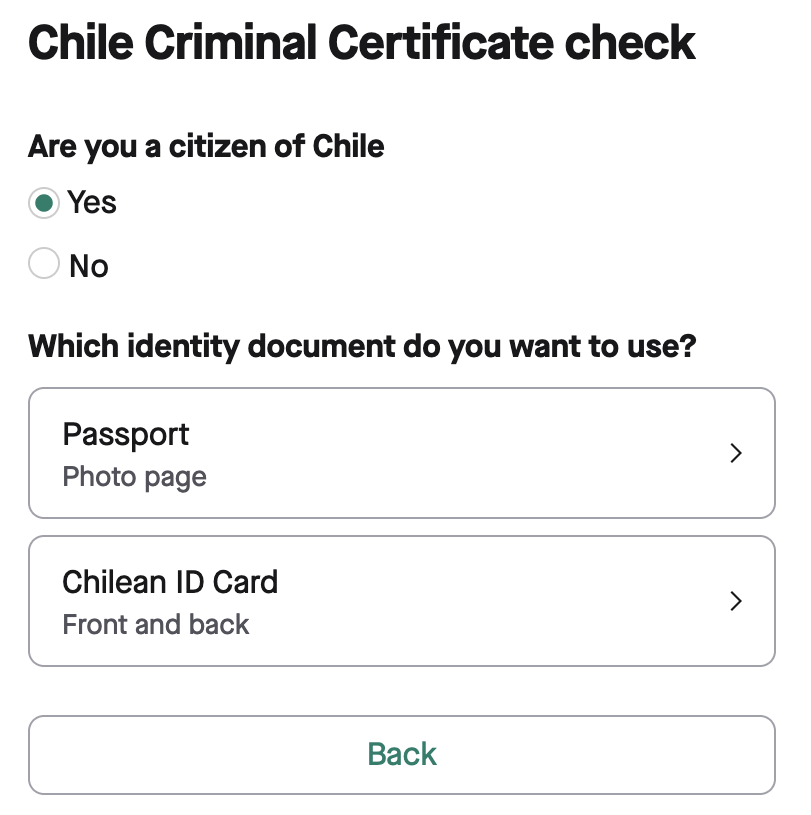
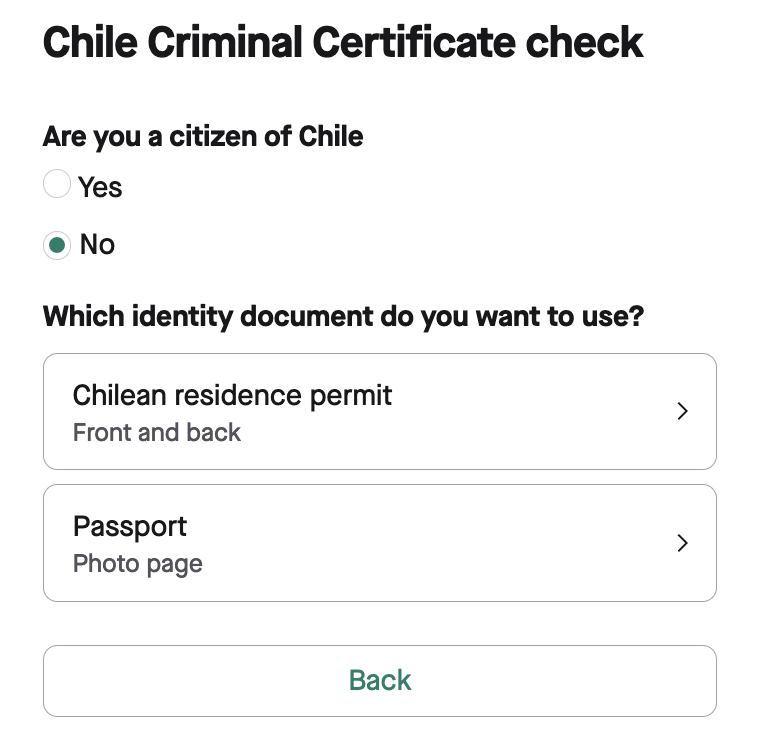
The document you upload must be the same one used during notarisation.
### Step 6: Receive your results
Once the criminal check is complete, you will receive a notification confirming the process is finished.